Monday, July 13, 2015

Windows Programs Closing Unexpectedly

You'd think in this day and age of Windows 7, Windows 8, and now with the coming Windows 10 (The Reason Why Microsoft Skipped Windows 9 is actually mildly interesting), we wouldn't be having programs crashing constantly, with very little information about why.  Especially programs built by the same company that makes the operating system!

But no, here it is!  My Windows 7 workstation trying to open an Excel 2010 .xlsx file:


This happened twice to me today for two different Excel files.  I also have a similar problem with another program that I actually really like called Remote Desktop Manager (RDM).  It just magically crashes on occasion.  I am slightly more tolerant to this type of issue with a third party vendor.  I've completely uninstalled / re-installed it to no avail.

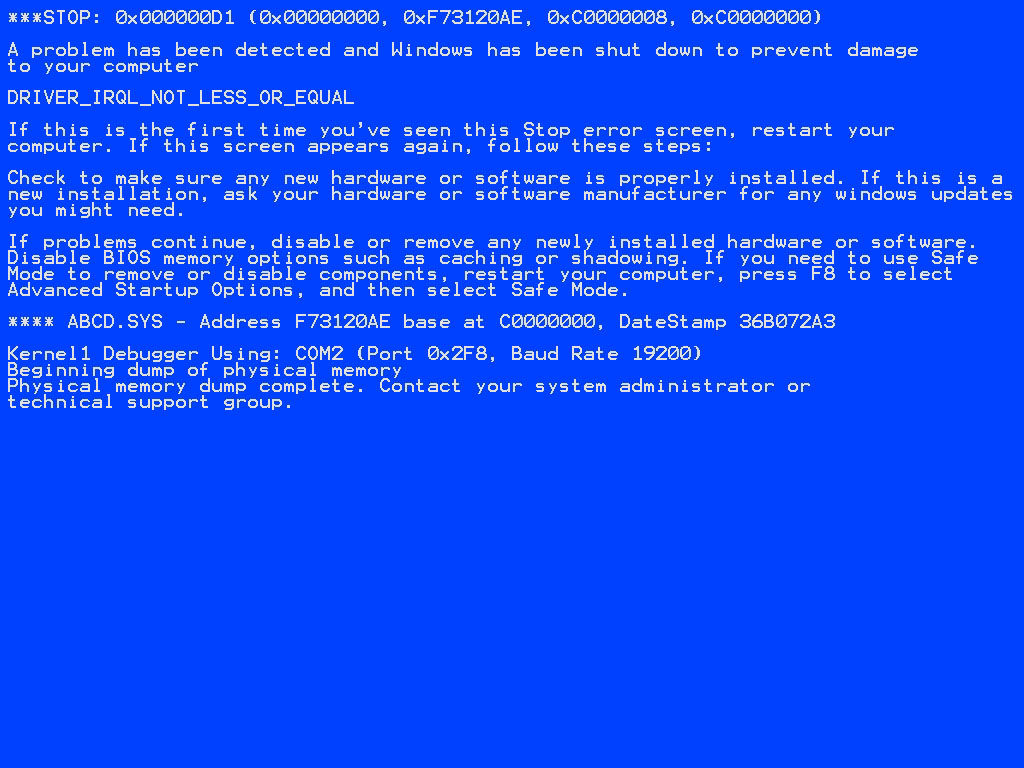
I guess the good news is that only the program is crashing and not the whole O/S.  It's a rarity to see one of these and I do not miss them:


Anyway, that's my latest frustration with Windows.  Happy computing!

Monday, July 11, 2011

Even File Names Must Be Overly Complicated...

One thing I do not understand is why Microsoft has insisted that file extensions must be hidden.  I go to the explorer shell for one thing... to find, copy, move, and delete files.  If I see a file, I want to know what it is. Hiding the file extension just confuses the crap out of me.  I don't identify my files by the "type" that Windows decides they are.  I identify them by the extension which is how I've identified files since using the Commodore 64.  I understand that the true way to identify files would be through a file header inside the file.  Let's just put that aside for now.  So for me to have to go out of my way to unhide a file extension just to see the complete file name seems like more extra work for no reason.  Every new system I log into I must go change this setting.


I can't even think of a good reason why someone wouldn't want to see the extension.  If they don't know what it is they'll just ignore it and look at the type field anyway.

To make matters worse, when I click a file and the name gets highlighted, why must the file extension be excluded?  If I'm going to rename the file and I change the file extension it already prompts me, so why does it also have to not include the extension in the highlighted text?  Why can't I just select the name that I see when I press F2 or click the file?  Why? Why??

Pointless, stupid, annoying.  Makes my daily grind more difficult.  Bitching complete.

Moving and Deleting Files Can't Be This Difficult

It's the first day and I already have a second topic to bitch about.

Okay, so if you're moving a file from one directory to another on the same drive, the benefit is that it's supposed to be fast because it's just moving pointers rather than copying data, right?  Well, for some reason Explorer seems to take its sweet time with this.  Not only that, but AGAIN the status menu shows some obscure progress that makes no sense...


It just kept showing "calculating" for both time remaining and items.  Then after about 5 minutes it showed 2(0 bytes) under items.  WTF does that mean??  And why is it taking 10 minutes to move files / directories??

I tried a batch delete operation on a very large directory and it was calculating for about 5 minutes before I aborted and did a DOS delete which worked beautifully.

del /f /s /Q *.*
rmdir /s /q <directory>
   ... thanks to this StackOverflow post http://stackoverflow.com/questions/186737/whats-the-fastest-way-to-delete-a-large-folder-in-windows

Please, Microsoft, just make these basic functions in explorer work.  please?!?!

Inaccurate IE9 File Download Time Estimates

So I've recently started using IE9.  I'm not thrilled with it but I'm not overly dissatisfied with it either.  I use Chrome on a regular basis, I only use IE9 for specific things.

What I found today: IE9 doesn't calculate time estimates correctly.  Not even close!  Here I'm downloading 3 files, 2/3 have horribly inaccurate download time estimates.  Unless I'm doing my math incorrectly, 1.81 GB transferring at 137MB/s is about 13 minutes.  This says 12 seconds!  And it's not even changing even thought he percent completed is climbing!  Come on Microsoft.  This is basic functionality here.


I saw this the other day on a file which supposedly was going to take me 22 hours to complete.  I did the time estimate and it was 8 minutes.  Guess what?  It finished in about 8 minutes.  Please just fix this.

edit #1 I have to add two other things...

1) When you hit "pause" and then "resume" one would think the file download would be paused at x% completed and then resumed at x%.  No.  In my experience (twice already) when you hit "pause" it pauses the download alright, but then when you hit "resume" it just restarts the download over again...from 0%.  WTF???

2) I had some error occur saying that the download was interrupted.  There was a "resume" option.  I clicked it.  It's been saying "resuming..." for over 10 minutes now and there's NO option to cancel and start over again.  I don't even know what to do besides just closing IE and restarting it which I'm not about to do until my other downloads are completed.

I'd say this first post was a huge success.  3 major issues in one post from the same product on the SAME screen!

I'm done here.

edit #2 This ended very poorly.  I ended up canceling the downloads and closing IE9.  The download manager completely froze.  I eventually had to just flat out kill the iexplorer.exe processes.  I'm installing Chrome on the production server.  Fuck this and fuck IE.

Why I'm Writing

I've been working with Windows and Windows related software for 10+ years.  I feel like I find some new glitch or quirk almost every day that just boils my blood.  I know what you're all thinking... it's not just Windows, every other piece of software, O/S, even any other job can yield the same issues.  Well, this is what I do, and these are the issues I face.  So I'm blogging about them.  Comment as you will.

I hope you can find some humor (or solidarity) in my frustration.